
It is again that time of the year. Release plans for Dynamics 365 and Power Platform 2023 Release Wave 1 has been made public!
Once again very exciting content that is definitely worth to look for. This time I tried to browse the content through the Release Planner, and I must say that it surely is different from browsing the content through Microsoft Learn. While it divides opinions, I still feel that the Release Planner is a good tool for browsing the content, especially in situations where you want to also filter previous Release Wave content for features that was perhaps postponed for one reason or another.
ChatGPT has probably been one of the hottest topics in the past month, and even if AI has not been that much present in everyones daily life, ChatGPT has made AI much more tangible to everybody. It will be really interesting to see how it evolves during this year, how Microsoft will embed it to Azure services, and with what schedule.
Apart from the natural language to create flows, which is based on AI models such as GPT3, we don’t yet see any other clear and direct ChatGPT related features in the 2023 Release Wave 1, even though there are still many new and enhanced features which do utilize AI.
Let’s take a deeper look on couple of highlights based on my initial thoughts and impressions.
PS. Some of the screenshots in release plans are the size of a match box. Hopefully in the future MS will provide bigger resolution screenshots, but for now we just have to deal with these images that came with the release plans 😦
Sales
Manage opportunities more effectively using the new pipeline view
Remember Deal Manager, which was still in preview in last Release Wave? This cool feature will now be embedded into the Opportunity view, and I assume it can initially be enabled on application level. I don’t see any reason why an organization should not be using this in the future.
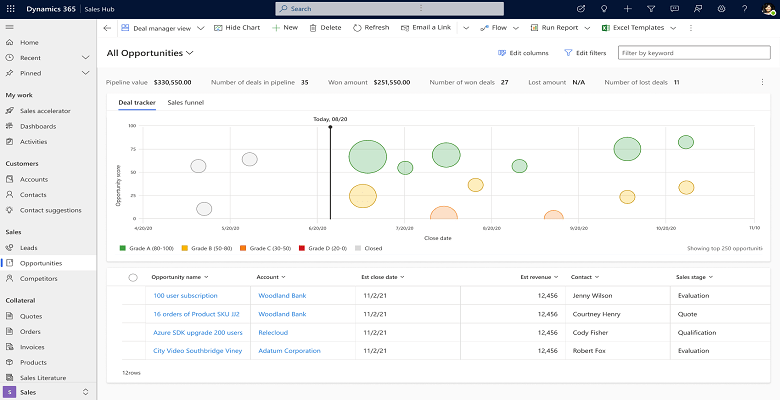
In addition to bringing this new opportunity experience seamlessly into the Opportunity view, there will also be support to add business rules to enhance usability even further. Previously it was only possible to include JS library to control columns and so on. With the editable grid, visualizations and personalization options, I think this feature will replace many existing dashboards for sales reps and sales managers.
Identify cross-sell and upsell opportunities with timely product recommendations
AI assistance for upsell and cross-sell recommendations! Nice addition compared to the current situation, where you can only define related products and add sales relation types to them. Maintenance of those relations has been cumbersome if the amount of products is large… and it usually is, of course little bit depending on the industry as well.
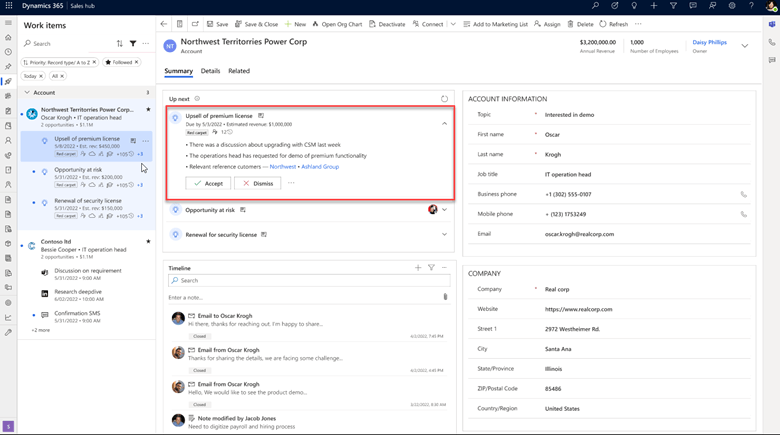
While it is still too early to say how exactly the product recommendations will be set up from adminstrator’s point of view, I would expect improvements compared to the current way product relations are managed.
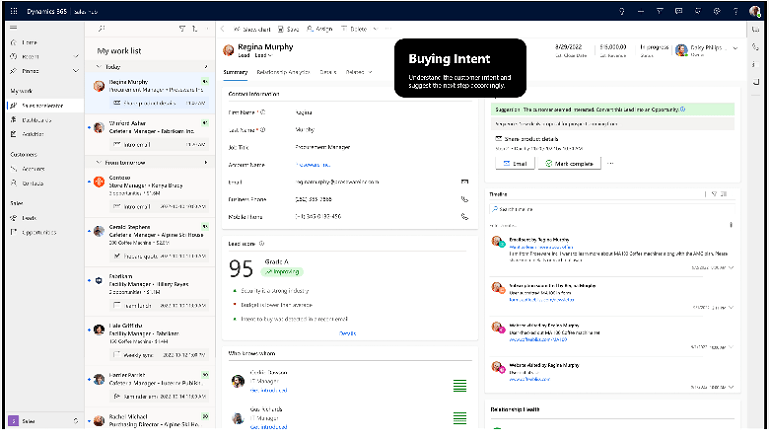
Automate the creation of follow-up tasks
I think these screenshots are blurry on purpose 😀 Anyway, yet another nice new feature which I would categorize as QoL (Quality of Life) feature.
From the feature details there is a nice but small mention about Teams calls
“The system automatically captures your follow-up tasks from various Office applications like emails, Teams messages, and Teams call transcripts, then nudges you with friendly reminders, thus enabling you to take them toward completion.“
Teams call transcripts can be extremely funny if you have language settings as English, and then speak for example Finnish in the call… so make sure you have settings correct for your Teams call for this feature. Majority of follow-up tasks originate from Teams calls and meetings, so I think this will surely be a huge improvement for staying on top of your stack of promises and follow-ups.

Marketing
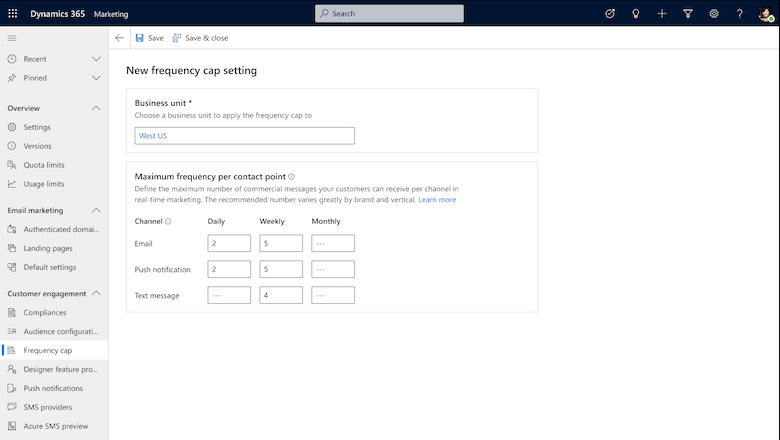
Prevent message fatigue by limiting the messages sent to a customer in a specific period
Customer experience is always in the very center of successful marketing, and whatever can be done to prevent excessive spamming, it will most likely result in more successful marketing campaigns.
Main features of the Frequency Cap:
- Define a specific cap per channel (email, text message, push, and custom channels).
- Enable daily, weekly, and monthly frequency caps.
- Decide which journeys should have the frequency cap enabled or disabled.
- Transactional messages will always be excluded.
- Check which messages have been sent and which are still pending for each customer.
Customer Service
Accelerate time to resolution with AI-suggested replies
As a customer service rep, say goodbye to your sticky notes and service scripts, and let AI handle your responses!
Highlights of the features:
- Intuitive, real-time suggested replies for agents directly in the digital messaging experience.
- Automated named-entity recognition and population that provides personalized responses for each user.
- Simplified data configuration experience to curate the reply set.
- Robust reply management experience for admins that provides visibility into the discovered responses and the ability to edit or consolidate responses.
- On-demand model retraining to ensure the model is always up to date and accurate.
- Unique models for each organization trained on historical support conversation data.
Power Apps
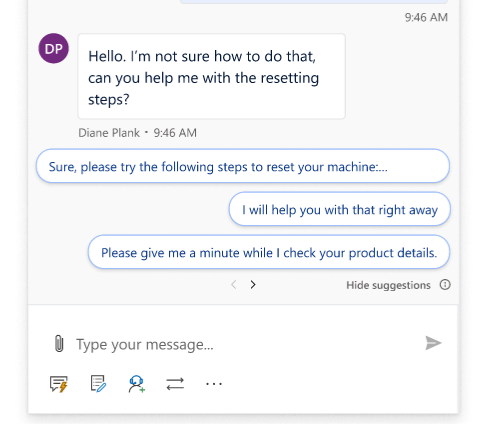
Enjoy the new look and feel for model-driven Power Apps
Model-driven apps UI has been slowly evolving, and taking baby steps into the right direction. As you know, canvas apps and Fluent UI controls have been reality since 2020. With the upcoming release wave, you can opt-in to start using the Fluent UI in your model-driven apps as well.
Run automated tests for custom pages and model-driven apps & Test Power Apps in CICD pipelines
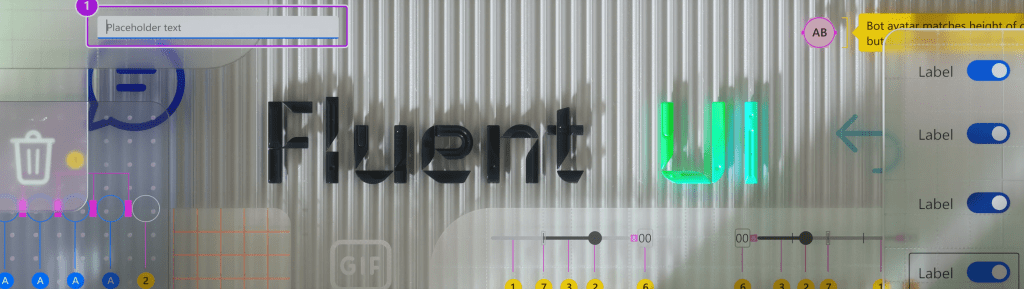
Combining these two features under single topic, as they both revolve around the Test Engine, which was initially launched in late 2022.
Implementing test automations for D365 and Power Platform environments is something there everyone talks about, and everyone wants, but yet it is still something that is not very clear on how and why it should be implemented.
Typically all the test frameworks in the past has required extensive knowledge and coding skills in C# or Python. With Test Engine, you can write your test cases in Power Fx, thus bringing app makers one step closer to writing their own test cases in language familiar to them.
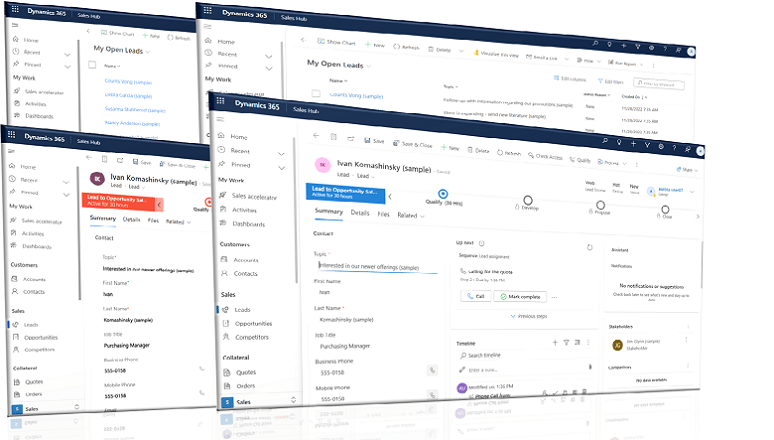
2023 release wave 1 will bring support for model-driven apps and custom pages in addition to the existing support for canvas apps.
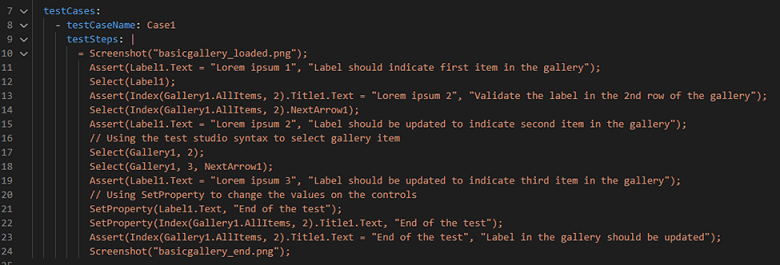
To bring automated tests to the next level is to include the test automation as part of your CICD pipelines. In practice this means that Microsoft is embedding Test Engine as part of Power Platform CLI. I would expect this to also become part of the Power Platform Build Tools in the future.
Create virtual tables easily in Maker Portal
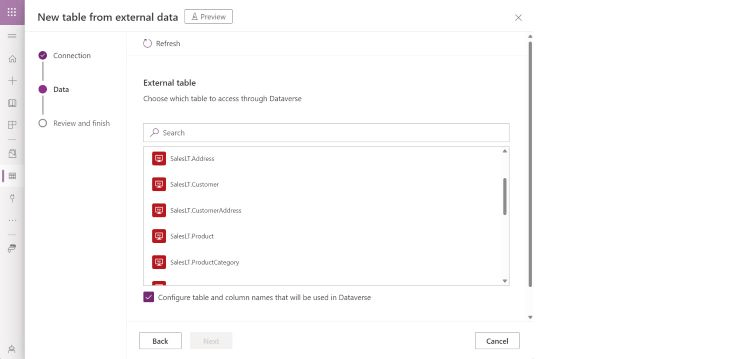
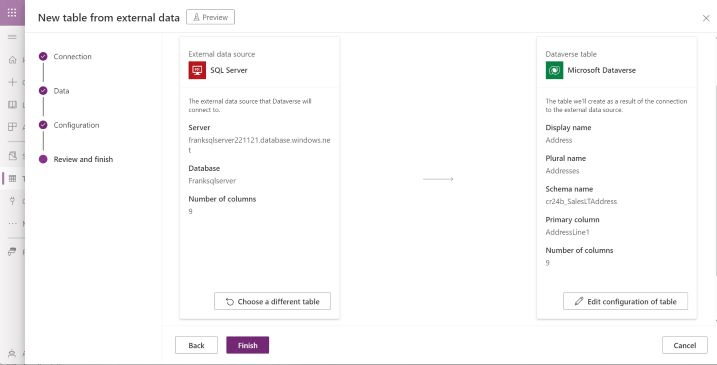
One of the most exciting things that I am looking forward to, is the virtual table wizard! I mean who doesn’t like wizards? 😀
Think about scenario where you have SQL database somewhere, and you need to bring the data available to dataverse, but you cannot or should not build an integration for it.
Now there will be a no/low-code alternative to easily create virtual table in your Dataverse.
Add table columns to forms and views automatically
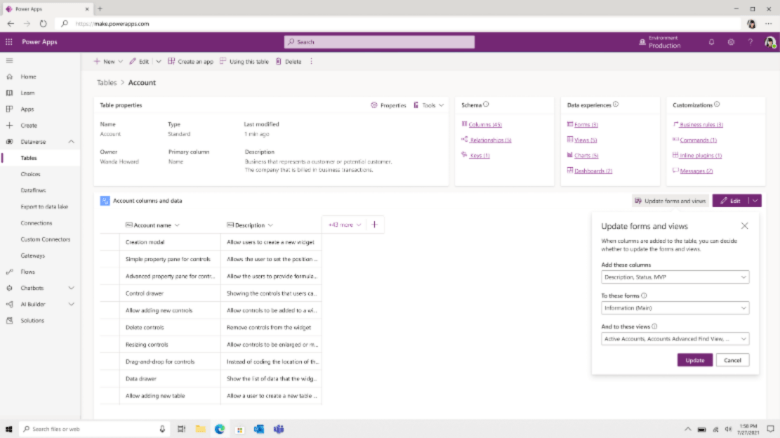
This one is a saver of time, money and energy. Especially those who have been working for years with the legacy / classic customization UI, are familiar with jumping around the different elements just to get that new column visible in the form.
Power Pages
Use cloud flows with Power Pages sites
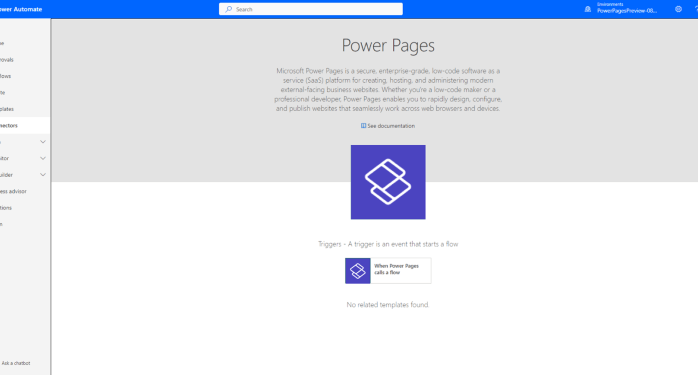
Finally a native integration solution for Power Pages and Power Automate 🙂 This will be initially implemented with a new trigger that can be called from different events in Power Pages.
Dataverse
Associate activities with other activities
This might sound like a minor thing, but the possibility to associate activity to another activity introduces cool possibilities to further manage your customer activities.
Implementation will be initially done by adding Regarding -column – simple and effective!
Approve and enable mailboxes without an administrator
Many organizations are hesitant to hand over global admin permissions to the external consultant for example. When it comes down to adding new users to the system, and configuring D365 App for Outlook, you always have to bother the admin to go approve the mailbox. This results into unnecessary IT overhead, and that is something that we want to avoid.
Power Automate
Use natural language to create flows
Definitely one of the “Wow”-effects that I had when going through the release plans. This feature has been in the preview in the US, and in the upcoming 2023 release wave 1, they are bringing this to the EU region as well!
This feature uses AI models like GPT3, which is also the AI model that OpenGPT has been built on top of.
Will this take your job? That is the hot topic of year 2023 ever since OpenGPT was launched. Answer in my opinion is: Most likely not… It will save you the time and effort to create structure for your cloud flow, but for now you still need to check the flow, and finetune it.
AI will definitely shape the way we work, but not directly taking your / our jobs.
Let’s see when this feature will be updated to use GPT4 😉
Store cloud flow execution history in Microsoft Dataverse
I feel this as a huge improvement especially for the admins and makers. Currently if you want to check execution history, you always have to go to the maker portal and find the flow you want to examine, and then start going through the execution history.
Features included:
- Build custom reports for automation ROI (return on investment), monitoring, and more.
- Retain flow execution records for longer than the current limit of 30 days.
- Centralize the automation execution storage data across cloud and desktop flows.
Push cloud flow execution data into Application Insights
If storing it to the Dataverse is not enough, you can take your cloud flow execution data to the next level and push it to application insights. This will enable building even better analytics, alerts, reports and automations when the data can be pushed to Application Insights.
For those who are not aware what Application Insights are, it is an extension of the Azure Monitor, which is the monitoring service available in the Azure.
 Dynamics Infinite - Blog by Tuomas Anto
One response to “Initial thoughts on 2023 Release Wave 1”
Great tear down of release wave 1. Thanks again!
Ps. let’s see what GPT4 brings 😉 probably we will see AI generated blogs and so on. Excluding your’s of course 😂
LikeLike